
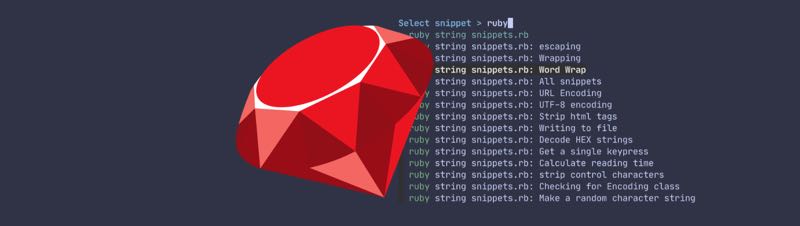
I do most of my automation and string manipulation scripting using Ruby. I know it’s not the most popular language these days, but it’s the one I know the best (thanks to my days of hacking on TextMate bundles) and it’s usually the fastest way for me to solve a problem. I have reams of snippets saved (and easily accessible with Snibbets) and thought I’d share a few that are useful for everyday scripting on macOS.
Scrub
Scrub uses the encode function to switch a string to UTF-16 discarding invalid characters (gremlins), then back to UTF-8. Applied as a String method, you can then use input.scrub to get clean text with all gremlins removed.
“`ruby
class ::String
def scrub
encode(‘utf-16’, invalid: :replace).encode(‘utf-8’)
end
def scrub!
replace scrub
end
end
“`
Check for macOS
This can be modified or turned into a case statement to determine operating system. I often only need it to check if I can run Mac-only tools like pbcopy or not.
ruby

`uname`.strip == "Darwin"
Get macOS version
Just in case your script needs to behave differently across OS versions:
ruby

def macos_version

  begin

    `sw_vers`.strip.each_line do |line|

      if line.strip =~ /ProductVersion:s+([d.]+)$/

        return Regexp.last_match(1).to_f

      end

    end

    return 0

  rescue

    warn 'Failed to retrieve macOS version'

    Process.exit 1

  end

end
Rounding numbers
“`ruby
class ::Numeric
# Round to nearest 5
def round5
((self * 0.2).round / 0.2)
end
# Round to nearest 10
def round10
((self * 0.1).round / 0.1)
end
end
“`
Human-readable file size
The #to_human method will convert 293592035 to “280MB”.
“`ruby
class Numeric
def to_human
units = %w{B KB MB GB TB}
e = (Math.log(self)/Math.log(1024)).floor
s = “%.1f” % (to_f / 1024*e)
s.sub(/.?0$/, units[e])
end
end
print File.size(File.expand_path(ARGV[0])).to_human
“`
URL encoding
I used to use the CGI library for url encoding, but it doesn’t properly percent-encode spaces as %20, but rather as +, which breaks a lot of applications. The solution (as opposed to doing a manual search and replace) is to use the ERB library instead:
ruby

require 'erb'

ERB::Util.url_encode('string to encode')
Get a single keypress
For dialogs where you want to act as soon as a key is pressed without requiring pressing Return:
“`ruby
def get_keypress
system “stty raw -echo”
STDIN.getc
ensure
system “stty -raw echo”
end
key = get_keypress.chr
“`
Get the longest string in an array of strings
Of limited utility but I use it all the time when doing search algorithms:
“`ruby
class ::Array
def longest_element
group_by(&:size).max.last[0]
# Leave off the [0] to get an array containing all of the longest elements when there’s a tie
end
end
p [‘short’, ‘longest’, ‘longer’].longest_element
#=> “longest”
“`
Symbolize hash keys
If you’re creating nested hash objects that end up with a mix of string and symbol keys, the easiest thing to do is symbolize all keys. #to_sym won’t do anything if the key is already a symbol.
“`ruby
class ::Hash
# Turn all keys into symbols, including nested hashes
def symbolize_keys
each_with_object({}) { |(k, v), hsh| hsh[k.to_sym] = v.is_a?(Hash) ? v.symbolize_keys : v }
end
end
» h = {‘one’ => 2, ‘two’ => { ‘three’ => 4 } }
# » h.symbolize_keys
# {
# :one => 2,
# :two => {
# :three => 4
# }
# }
“`
I hope that’s useful for aspiring Ruby scripters. If there’s interest, I can post (tons) more, but I also hope to get better about creating Gists that could be more easily searchable as a reference. The next step for Snibbets?
Bonus tip: Clipboard Preview
There’s a shell function I use frequently, easily replicable in any shell. It just shows you the contents of your clipboard (assuming text) without requiring a paste:
pbpaste | cat
In Fish that looks like:
# Defined in /Users/ttscoff/.config/fish/functions/cbp.fish @ line 1
function cbp --description 'ClipBoard Preview'
  pbpaste | cat
end
Like I said, useful in any shell as a way to ensure what you think is on your clipboard actually is. Just type cbp and get a preview before pasting anywhere.
Leave a Reply